Why Accounts Receivable is called Sub-Module in FI?Accounts Receivable is called a submodule in FI because it is a subledger that manages customer-level transactions and feeds summarized balances to the General Ledger through reconciliation accounts. It cannot function independently and supports the preparation of financial statements via GL.
How GL and Accounts Receivable Accounts are connected?GL and Accounts Receivable are connected through a reconciliation account. When transactions are posted to a customer in AR, the system automatically updates the assigned reconciliation GL account. GL shows the total receivable balance, while AR maintains customer-wise detailed transactions. Direct posting to reconciliation accounts is not allowed to maintain data integrity.
How to create Customer Master Records ?
In SAP FI, all business transactions are posted to and managed in accounts. You must create a master record for each account that you require. The master record contains data that controls how business transactions are recorded and processed by the system. It also includes all the information about a customer that you need to be able to conduct business with him.
Customer Group
A Customer account group is a classifying feature of Customer master records in SAP ERP. It determines the following:
Interval from which a unique number is assigned to a Customer (Customer Numbers)
Whether the number is assigned by the user (external number assignment) or by the system (internal number assignment)
It controls Field Status of Customer Master Data (Field Status of Customer Master)

SAP Business Partner – Introduction
The SAP business partner in S4 HANA is now a new way of managing master data for Business Partners, Customers, Vendors, etc. With current development, BP (Business Partner) is the single point of entry to create, edit, and display master data for Business Partners, customers, and, vendors.
The Business Partner concept has a very big importance in SAP S4 HANA Finance as we do its configuration in this application. It has a variety of newly added features which have made it very popular and demanding.
Let us move on to understand SAP Business Partner more by touching on its overall facts and work processes.
Concept of SAP Business Partner
In SAP S/4 HANA, the business partner has become the leading object and single point of entry to maintain supplier (formerly known as Vendor) and customer master data. With this new approach, master data maintenance becomes easier and achieves harmonization among the various business functions of a company.
Brings diverse Business Processes Together
The business partner function brings together the different and diverse business processes a company manages with its partners. It does it all via a single transaction and with a consolidated view of a partner’s data. Further, it can have the role of a supplier (vendor), a customer or an employee. It can also be a person, a group of persons or an organization. You can create a business partner in different business partner roles.
It Plays Multiple Roles
You don’t need to create the general data for each business partner role as it’s the same for all business partner functions. As a result, you can use the same business partner for different applications. For example, you can interact with business partner number 20000 as a customer in a customer role and vendor as a vendor role. Hence, in this way, a business partner can play multiple roles.
Eliminates Data Redundancy
Due to the highly integrated nature of data and information flow in business partners, a tremendous amount of data redundancy is eliminated as the basic or general information maintained for a business partner automatically extends to other partner functions.
Thus, after maintaining a business partner’s general or basic information a company can maintain or extend the existing business partner’s general information into one or more of these areas.
Areas that have a major impact on Business Partner
Finance
In the
SAP Finance area, a business user maintains specific information such as the company code associated with a business partner (either a vendor or customer). Business controls such as reconciliation account maintenance, tolerance limits, reminders for payment, tax details, legal data and specific or overall blocking of business partners are some of the options available in the finance area of a business partner.
A business partner plays a pivotal role in the procurement process of the
MM- Material Management area of S4 HANA. Some of the business controls are available for maintaining or extending purchasing information. It includes purchasing organization order currency,
payment terms, dunning procedure, Automatic Purchase order creation etc.
Sales and Distribution
A business partner plays a central role in the sales, delivery and billing process of the SD- Sales & Distribution area of S/4 HANA. Here also, some of the business controls are available while maintaining or extending sales information. It includes a sales area (which is comprised of the sales organization, distribution channel and division) order currency, payment terms, dunning procedure, shipping and billing.
Benefits of Using SAP Business Partner
- A legal entity is represented by one business partner.
- A business partner allows the maintenance of multiple addresses for various uses.
- While in SAP ERP, one supplier or customer could be associated only with one vendor account group. However, with business partners in SAP S/4 HANA, multiple roles can be associated with the same business partner.
- Maximum sharing and reuse of data lead to easier and simplified data consolidation.
- The general data of a business partner is available for different business partner roles. However, specific data is stored for each role.
- We can have multiple relationships with the same business partner.
- Time dependency at different sub-entities (role, address, relationship and bank data) can also be maintained.
Customer Vendor Integration (CVI) Process
Customer-Supplier Integration is a prerequisite to moving to SAP S/4 HANA.
Business Partner is now capable of centrally managing master data for business partners, customers, and suppliers. With current development, BP is the single point of entry to creating, editing, and displaying master data for business partners, customers, and suppliers.
Business Partners can check the Introduction of the CVI in the pre-checks and the technical conversion procedure of the SAP S/4 HANA on-premise edition.
The change in Business Process is, that the user interface for SAP S/4 HANA is transaction BP. There is no specific user interface for customers/suppliers as known from SAP Business Suite to clarify. SAP GUI transactions are not available.
SAP Business Partner Master Data Configuration
In SAP S/4HANA, a Business Partner (BP) is a central, unified master data object used to manage all parties a business interacts with - such as customers, vendors, and contact persons - in one single place.
SAP replaced the traditional Customer Master and Vendor Master with Business Partner to simplify data management and enable end-to-end process integration.
Steps to create Customer Master in SAP S/4HANA
STEP 1: Go to T-Code BP and click on Organization
STEP 2: Select the BP Grouping "ADD1" and Provide General Details then Save.
1️⃣ Business Partner Field
If left blank → System assigns number (Internal Number Range)
If filled manually → External Numbering (if grouping allows)
2️⃣ Grouping
Controls:
Number range
BP category logic
Internal vs External numbering
Example:
ZCUST → Customer grouping
ZVEND → Vendor grouping
Ex : Domestic Customer, Foreign Customers, Intercompany Customers
Standard grouping → automatic numbering
3️⃣ Create in BP Role
Currently selected:
FLCU00 – FI Customer (Standard)
Meaning:
You are directly creating a Financial Accounting Customer (Accounts Receivable).
Important distinction:
Role Purpose
FLCU00 FI Customer (Company Code Data)
FLCU01 SD Customer (Sales Area Data)
If only FI is required (no SD), FLCU00 is sufficient
STEP 3: Select Role "FLCU00" (FI) and click on Company Code Segment
STEP 4: Provide your Company Code then press enter and provide Customer Reconciliation A/c GL.
Customer master data is used by both the accounts and sales department in an organization. By maintaining customer master data centrally, it can be accessed throughout your organization and avoid the need to enter the same information twice. You can also avoid inconsistencies in master data by maintaining it centrally.
Example − There is a change in address of one of your customers, so you only have to enter this change once in the system, and your accounting and sales departments will always have up-to-date information.
How to create a customer master data centrally in SAP FI?
Use the T-code FD01 or go to Accounting → Finance Accounting → Accounts Receivable → Master Records → Maintain Centrally → Create.
In order to perform any transaction related to AR/AP, we first need to create the customers & supplier master data
Customer:SAP FI Accounts Receivable component records and manages accounting data of all customers. It is also an integral part of sales management. All postings in Accounts Receivable are also recorded directly in the General Ledger. Different G/L accounts are updated depending on the transaction involved (for example, receivables, down payments, and bills of exchange). The system contains a range of tools that you can use to monitor open items such as account analyses, alarm reports, due date lists, and a flexible dunning program.
In ECC, customer was created using transaction code FD01, but in S/4 HANA FD01 is obsolete & we will be using Transaction code BP to create the customers.
Before we create a customer, we need to finalize the customer groups required by the client
Eg: Customers can be grouped using below account groups
- Domestic Customer (25-D)
- Foreign Customers
- Intercompany Customers
There are 3 segments in Customer master data
- General Data (Name & Address) KNA1
- Company Code (Finance related data) KNB1
- Sales Area Data (SD related data) KNVV
Configurations (In ECC)
- Create a Customer Account Groups
- Create the Number Ranges
- Assign the number range to Customer Account Groups
Configurations (In S/4 HANA)
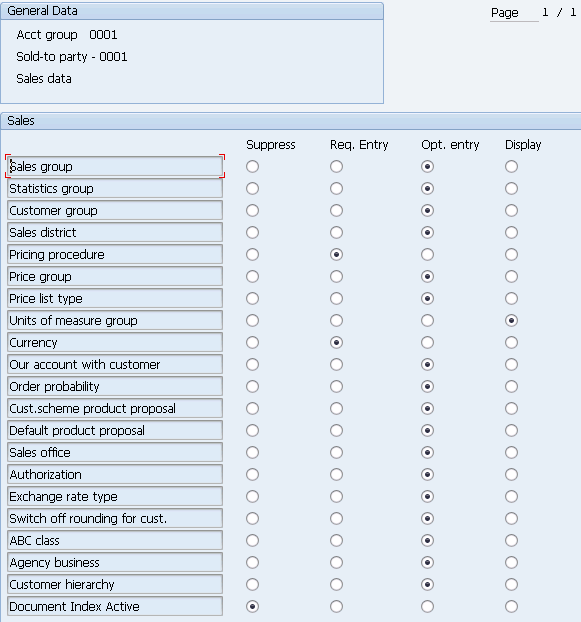
- Create a Customer Account Groups (OBD2) : We can provide account groups with a customer screen layout in this configuration activity. These are used to manage the fields that are required or displayed when clients provide their master data.
- Go to SPRO → SAP Reference IMG → Financial Accounting → AR and AP → Customer Accounts → Master Data → Preparations for creating customer master data → Define Account Groups with screen layout (Customers) → Execute.
A new window will open. Click New Entries as shown in the following screenshot.
It will open another new window. Enter the following details −
- Customer Account Group − Enter 4-digit account group.
- Name − Enter the name under General data field.
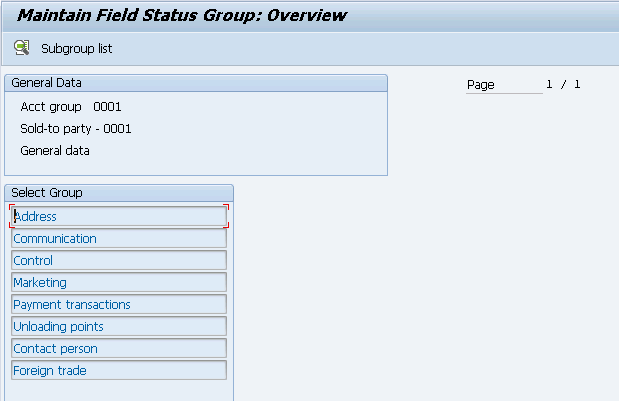
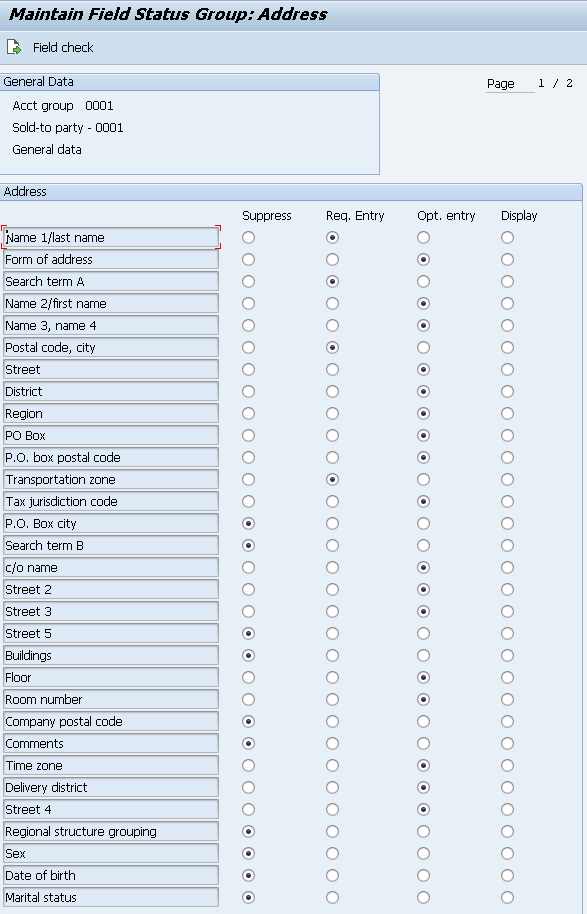
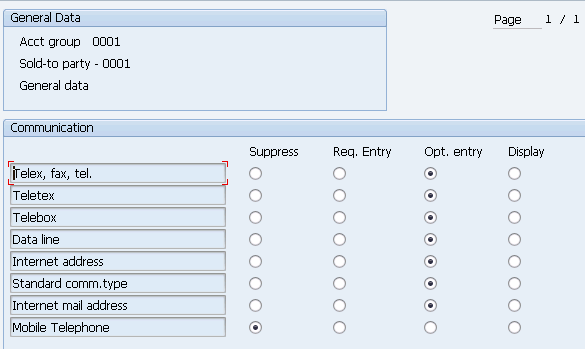
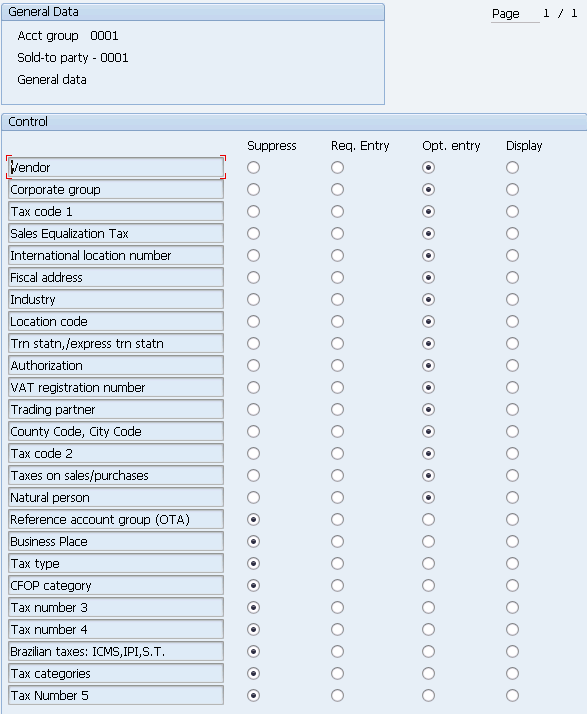
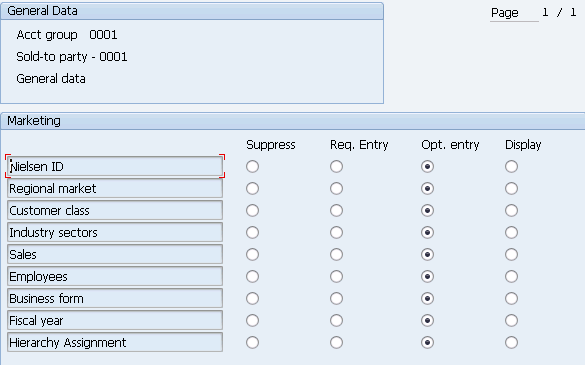
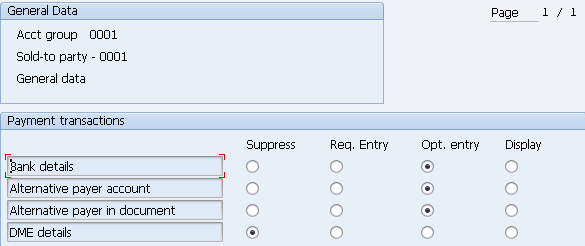
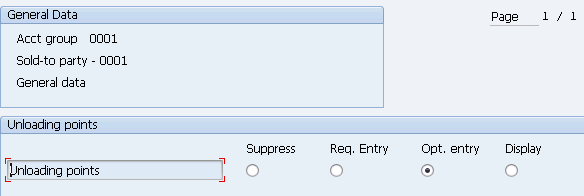
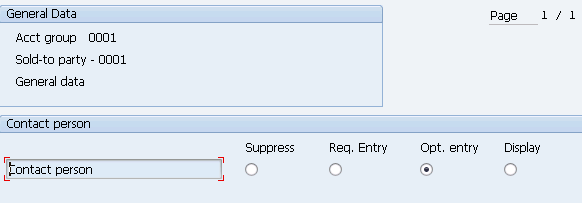
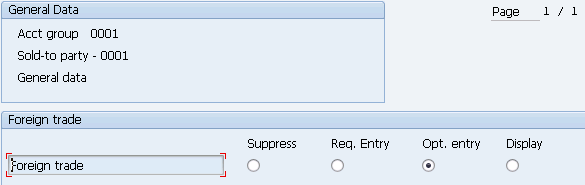
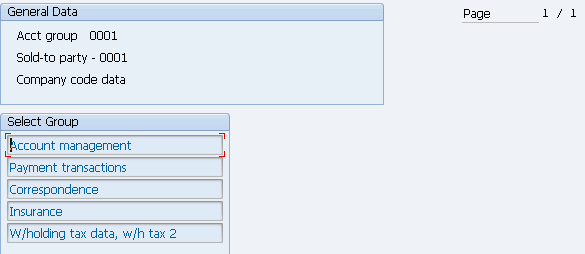
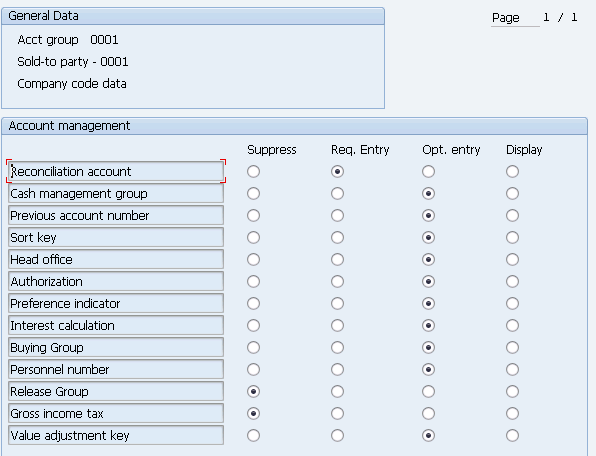
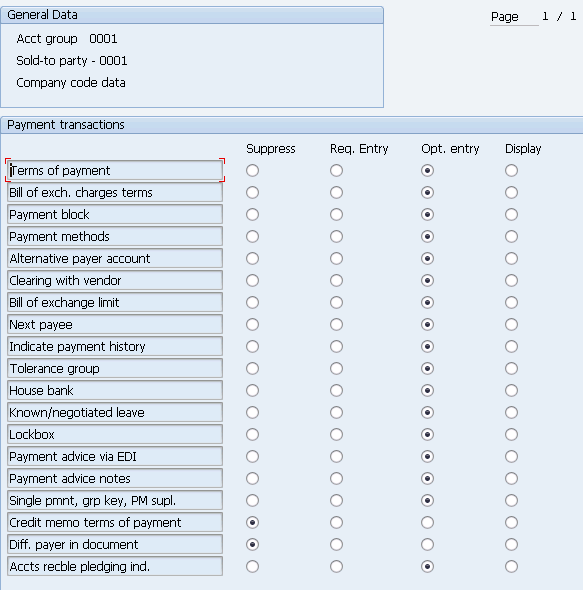
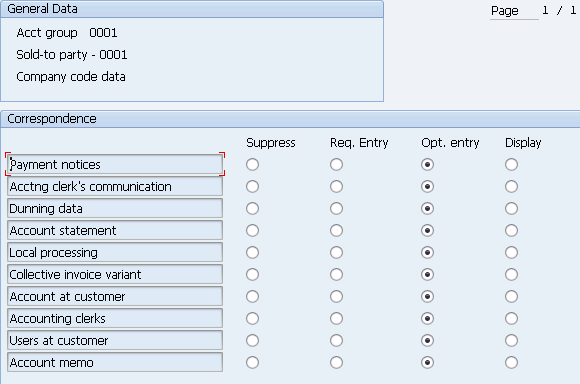
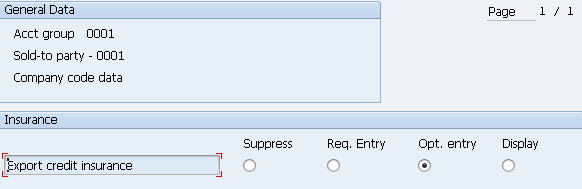
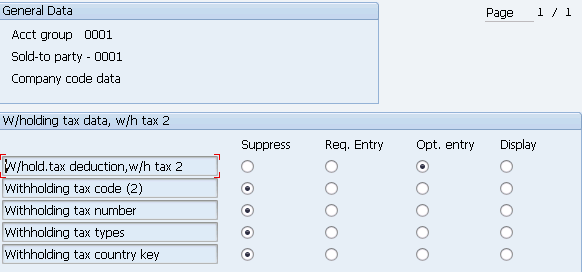
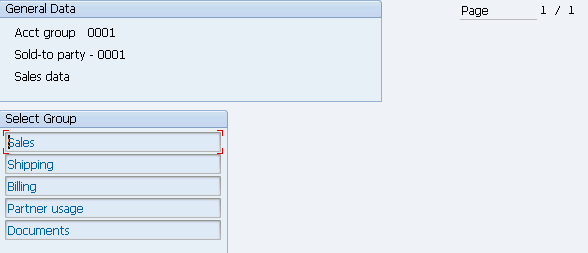
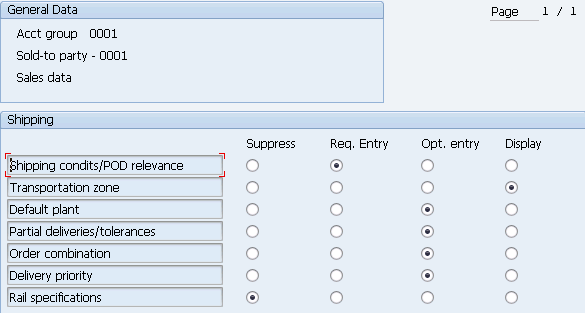
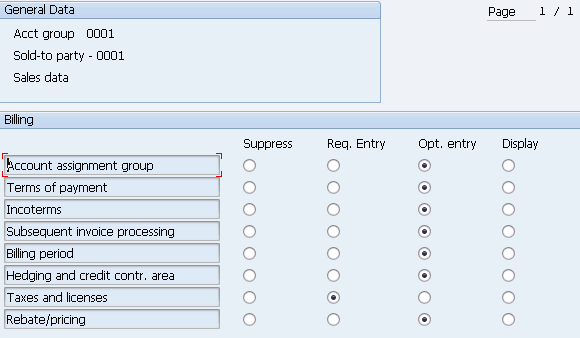
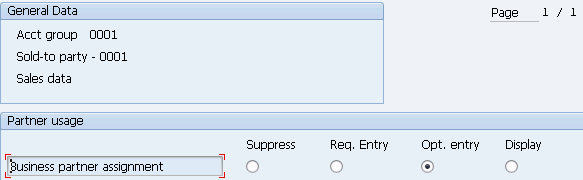
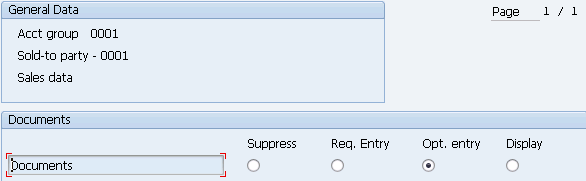
- Field Status − You have the option of editing an existing entry or creating a new one. You can establish basic account group settings from the following screen. To access field settings, double-click the Field status section. They are separated by sales area data, company code, and general.
Once you select Field Status, a new window will open.
Select Account Management from the select group and click Reconciliation account Req. Entry.(General data)
General data
Company code data
Sales data
- Create the Number Ranges (XDN1) : When you create a customer master data in SAP, the system automatically assigns a number to the master data. The customer number specifies a business to identify the customer and provides with the complete details, including address details, payment details, partner functions, and so on.
•
The number ranges are maintained with a number range interval from & to number.
• You can maintain it as Internal or External. It is recommended to maintain it as Internal, so the system automatically assigns the number to the master data
• When maintained as External, you will need to provide the number manually
• After you define the number range, you need to assign to a customer account group.
Note: You need to gather the requirements from the business. What are the number range intervals to be maintained in the system?
How to Create Number Ranges for Customer Accounts in SAP
This tutorial guides you on how to maintain Number Ranges for Customer Accounts in the SAP system.
IMG Menu Path:- IMG > Finance Accounting –> Accounts Receivable and Accounts Payable –> Customer Accounts –> Master Data –> Preparation for creating customer master data –> Create Number Ranges for Customer Accounts
Transaction Code:- XDN1
In our previous step, Customer Account Groups, we have maintained the following account groups and now we can maintain the number ranges and assign to the account groups.
A001 – Domestic Customers
A002 – Sold To Party (SP)
A003 – Ship To Party (SH)
A004 – Bill To Party (BP)
A005 – Payer (PY)
As per the requirement, we are maintaining the following number ranges for customer accounts
No From Number To Number EXT
A1 4000000001 4000099999
A2 4000100000 4000199999
A3 4000200000 4000299999
A4 4000300000 4000399999
A5 4000400000 4000499999
Step 1:– Enter Transaction code SPRO in the SAP command field and press enter from the Keyboard.
Step 2 : Select SAP Reference IMG
Step 3: Follow the IMG Menu Path
Step 4: Select Change interval for creating number ranges for customer accounts
Step 5: Select “Insert Interval“
Step 6:- Update the following information and Enter
- How to define Number Ranges Interval for Number Range - TC - FBN1 - Go to Assign Number Ranges to Customer Account Groups then click on Position and find your Account Group and provide your NR against it.
1. NO: Enter the NO that you want to identify the Customer account’s number range
2. From Number:- Enter from a number of Customer number range interval.
3. To number: Enter the number of the Customer number range interval.
4 . Ext: Select EXT box if you want External numbering
Step 7: Select Save and ignore the warning message. Press enter.
- Assign the number range to Customer Account Groups (OBAR)
Step 1: Enter t-code “OBAR” in the command field and execute
Step 2: On change view “Assign Customer Acct Groups-> Number Ranges: Overview screen, click on position button and enter your customer account group in the given field account group.
It enables to display of the customer account groups at the top of the list, so you can easily the number range intervals for the customer groups.
Step 3: Now enter the customer account number range interval for the customer account groups as per shown below image
Click on the save button to save the assigned number range intervals to customer account groups in SAP S4 Hana system.
- Create BP Grouping : BP Grouping (Business Partner Grouping) in SAP S/4HANA is a classification used at the time of Business Partner creation that mainly controls:
- Number range assignment
- Internal vs External numbering
- Logical grouping of business partners
Follow below path for configuring Business Partner Grouping:
SPRO > IMG > Cross-Application Components
STEP 5: Go to "Define Number Ranges" > Click on Add Interval and Enter Number Range Interval, you can tick the External Indicator if you want to enter BP Number Manually
SPRO->SAP Reference IMG->Cross Application Components->SAP Business Partner->Business Partner-
>Basic Settings->Number Ranges and Groupings->Define number ranges
STEP 6: Define BP Grouping and Assign Number Ranges by Clicking on New Entries then provide the Grouping Name, Number Range and save.
SPRO->SAP Reference IMG->Cross Application Components->SAP Business Partner->Business Partner- >Basic Settings->Number Ranges and Groupings->Define Groupings and assign number ranges
- Assign the BP Grouping to Customer Account Group
Assignment of BP to Customer in SAP S/4HANA means linking a Business Partner to a Customer master record by mapping BP Grouping to Customer Account Group, so that the BP can behave as a customer in FI and SD roles.
Follow below configuration path for Customer and BP Integration
STEP 7: Define Number Assignment for Direction BP to Customer > Click on New Entries and provide the BP Grouping and Customer Account Group.
NOTE: TO HAVE SAME NUMBER FOR BOTH BP AND CUSTOMER
- Ensure that the Customer Number Range Interval and BP Grouping Number Range Intervals are similar.
- And, Customer Account Group Number Range is ticked External.
In SAP S/4HANA, Customer Master Data is managed through the Business Partner concept, which brings better integration and simplified maintenance. Proper configuration of BP roles, number ranges ensures smooth order processing and accurate financial postings.
Business Partner Roles
In S/4HANA, roles define behavior. A single BP can have multiple roles.
1. Business Partner (General) ( BP Role - 000000)
Purpose: Central master data
Used for: Name, address ,Contact details, Bank information
This role is mandatory and forms the base for all other roles.
2. Customer (FI) (BP Role - FLCU00)
Purpose: Financial accounting data
Controls: Company code data, Reconciliation account, Payment terms, Dunning procedure
3. Customer (Sales Area) (BP Role - FLCU01)
Purpose: Sales & Distribution processes
Controls: Sales organization, Distribution channel, Division, Pricing determination, Shipping & delivery settings.
Structure of Customer Master Data in S/4HANA
Steps to create Customer Master in SAP S/4HANA
STEP 1: Go to T-Code BP and click on Organization
STEP 2: Select the BP Grouping "ADD1" and Provide General Details then Save.
STEP 3: Select Role "FLCU00" (FI) and click on Company Code Segment
STEP 4: Provide your Company Code then press enter and provide Customer Reconciliation A/c GL.
STEP 5: Select Role "FLCU01" for Sales Area Data and click on Sales & Distribution.
STEP 6: Provide your Sales Area and also ensure Partner Functions are automatically available based on your Customer Account Group.
Customer Number 1010 created
By correctly defining BP grouping, roles, sales area data, and company code data, organizations ensure seamless integration across Finance and Sales.
Vendors:
In ECC, vendor was created using transaction code FK01, but in S/4 HANA FK01 is obsolete & we will be using Transaction code BP to create the customers.
Before we create a vendor, we need to finalize the vendor groups required by the client
eg : Vendors can be grouped using below groups
1 Domestic Vendor : 2. Foreign Vendor
How to Create Vendor in SAP S/4HANA
Steps to Create Vendor in SAP S/4 HANA
STEP 1: Define account group With screen layout (OBD3)
Vendor Groups are important part of Vendor Master Data in Accounts Payable module. For every vendor group we could define which fields will be shown, mandatory or suppressed. Later we will also assign number ranges for every account group.
New Entry
STEP 2: Create no range for vendor account (XKN1)
In this configuration activity you are able to define number ranges for Vendor Master Data.
When you enter initially into the transaction you have the choice to display or edit the intervals as well as to change the number range current status.
Click on free intervals
STEP 3: Assign no range to vendor account group (OBAS)
BP master & link to vendor master configuration
BP configuration
STEP 4: No range (BUCF)
Click on free intervals
STEP 5: Define Groupings and Assign Number Ranges
Path- SPRO > IMG > Cross-Application Components, SAP Business Partner, Business Partner, Basic Settings, Number Ranges and Groupings, Define Groupings and Assign Number Ranges.
STEP 6: Define Number Assignment for Direction BP to Vendor.
In this BP Configuration, you will assign vendor account groups to business partner groupings, so that vendor data is automatically updated at the time as a Business partner is a process.
Through the assignment, you can choose whether vendor master record is created a vendor account with internal number assignment or external number assignment of identical numbers.
Scenario: If you want to have a Business Partner, Vendor account with the same numbers, then you need to maintain Vendor number ranges with External Assignment.
PATH - SPRO > IMG> Cross-Application Components, Master Data Synchronization, Customer/Vendor Integration, Business Partner Settings, Settings for Vendor Integration, Field Assignment for Vendor Integration, Assign Keys, Define Number Assignment for Direction BP to Vendor.
Click on New entry
STEP 7: Transaction Code - BP
In SAP S/4 HANA, Business Partner is the leading object and single-entry point to maintain Business Partner, Customer, and Supplier (formerly known as Vendor) master data. Business Partner allows maintenance of multiple addresses with corresponding address usages.
Click on Organization
Create in BP role Select FLVN00 (FI)
Click on Company code
Reconciliation account Sundry creditors GL map and save




Comments
Post a Comment